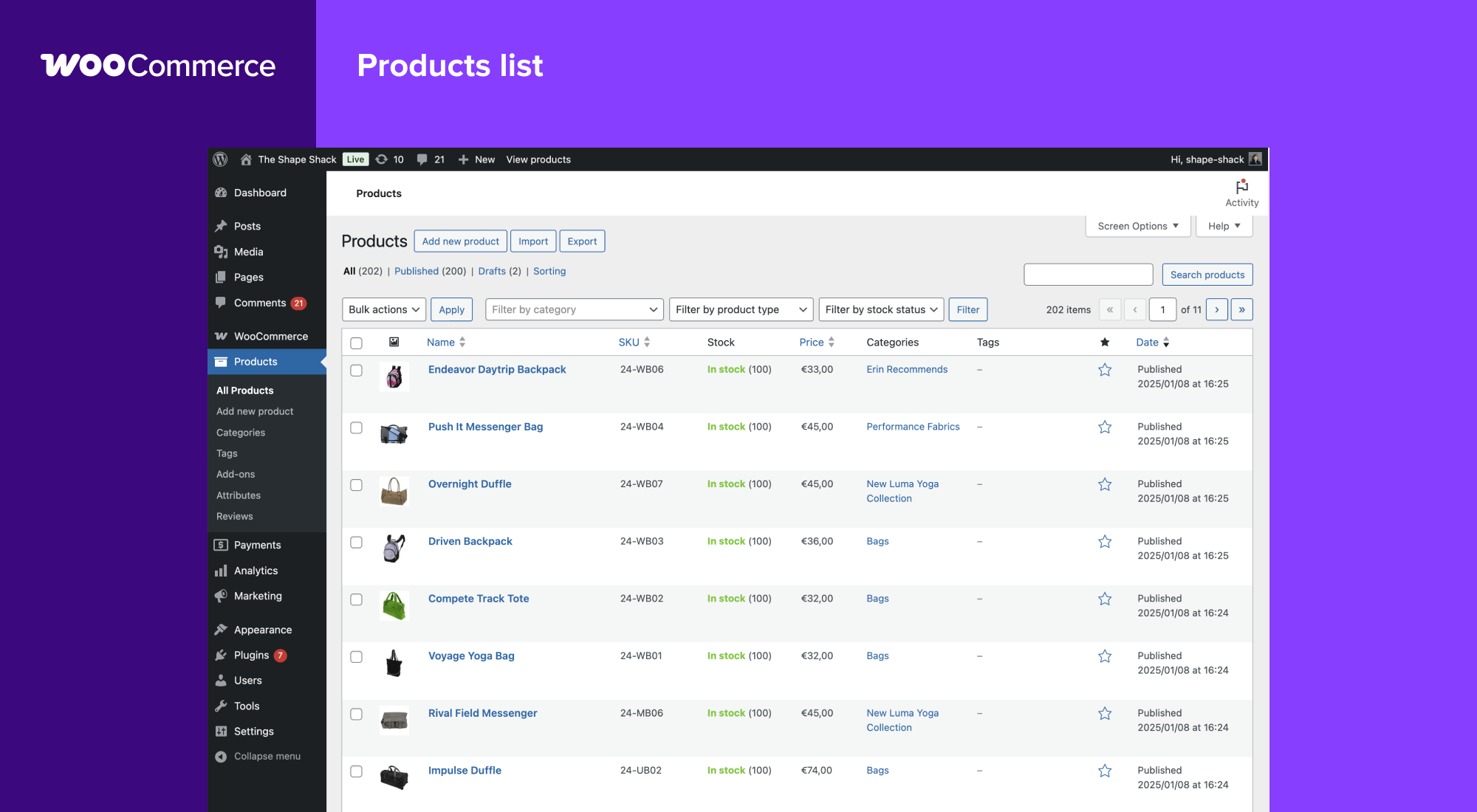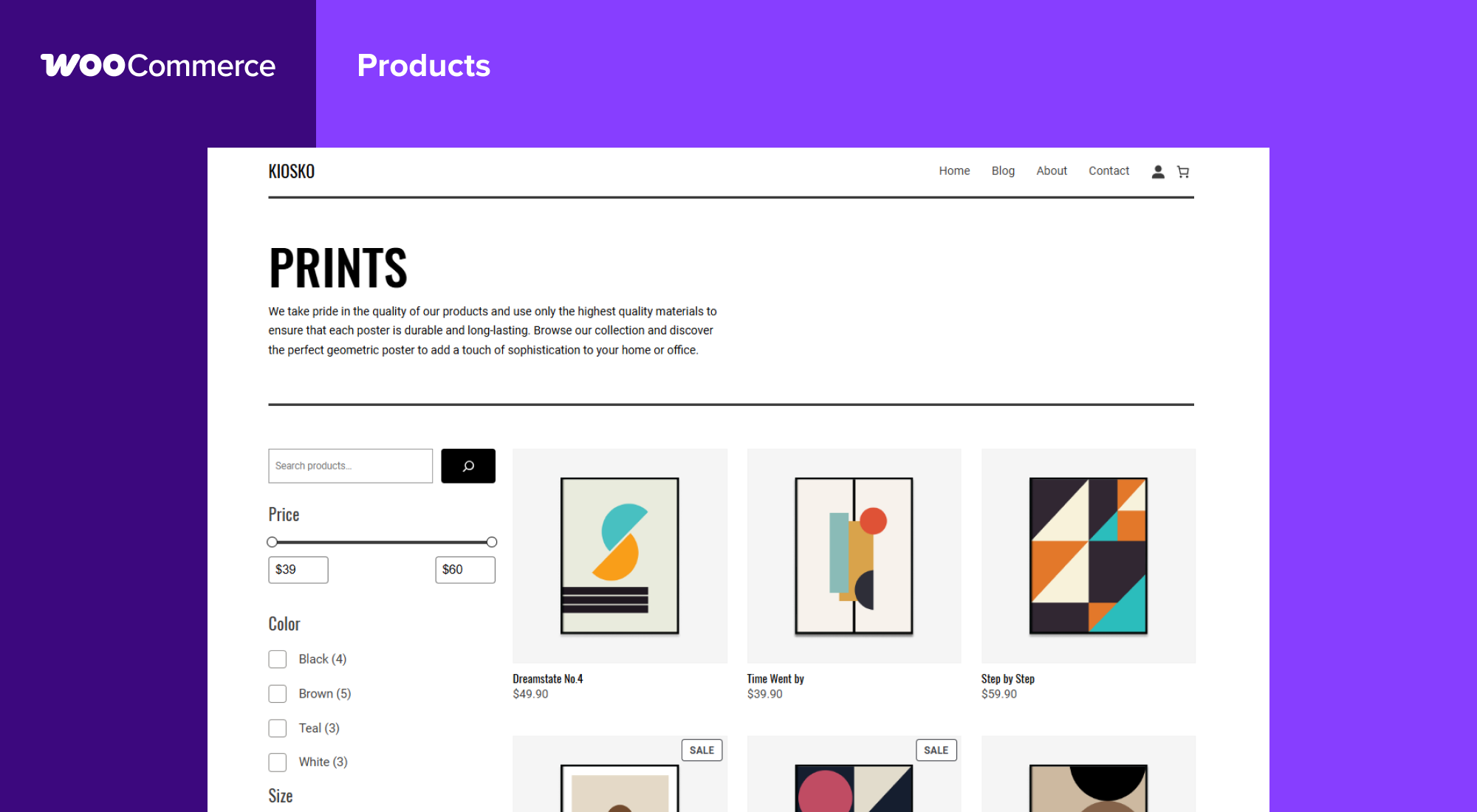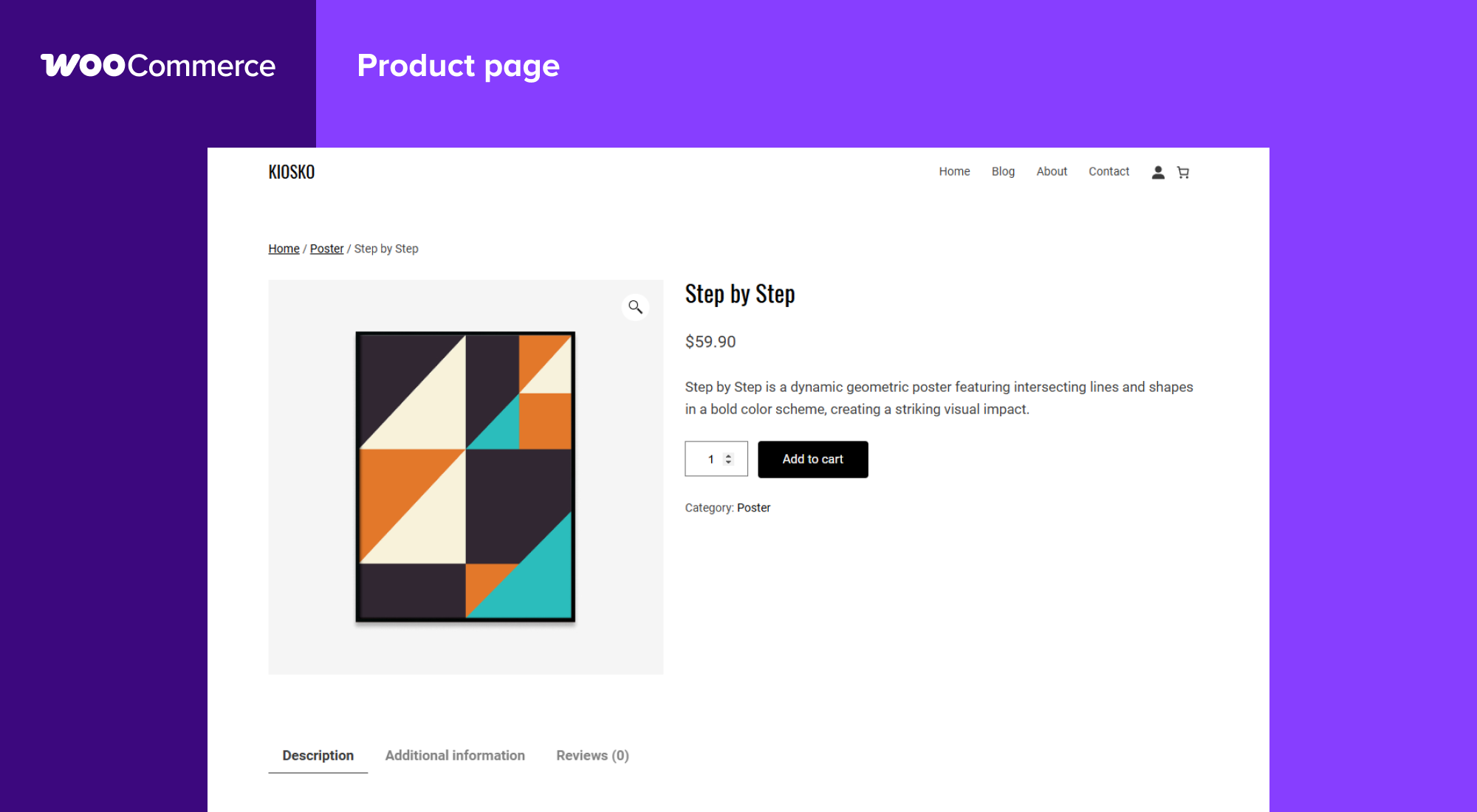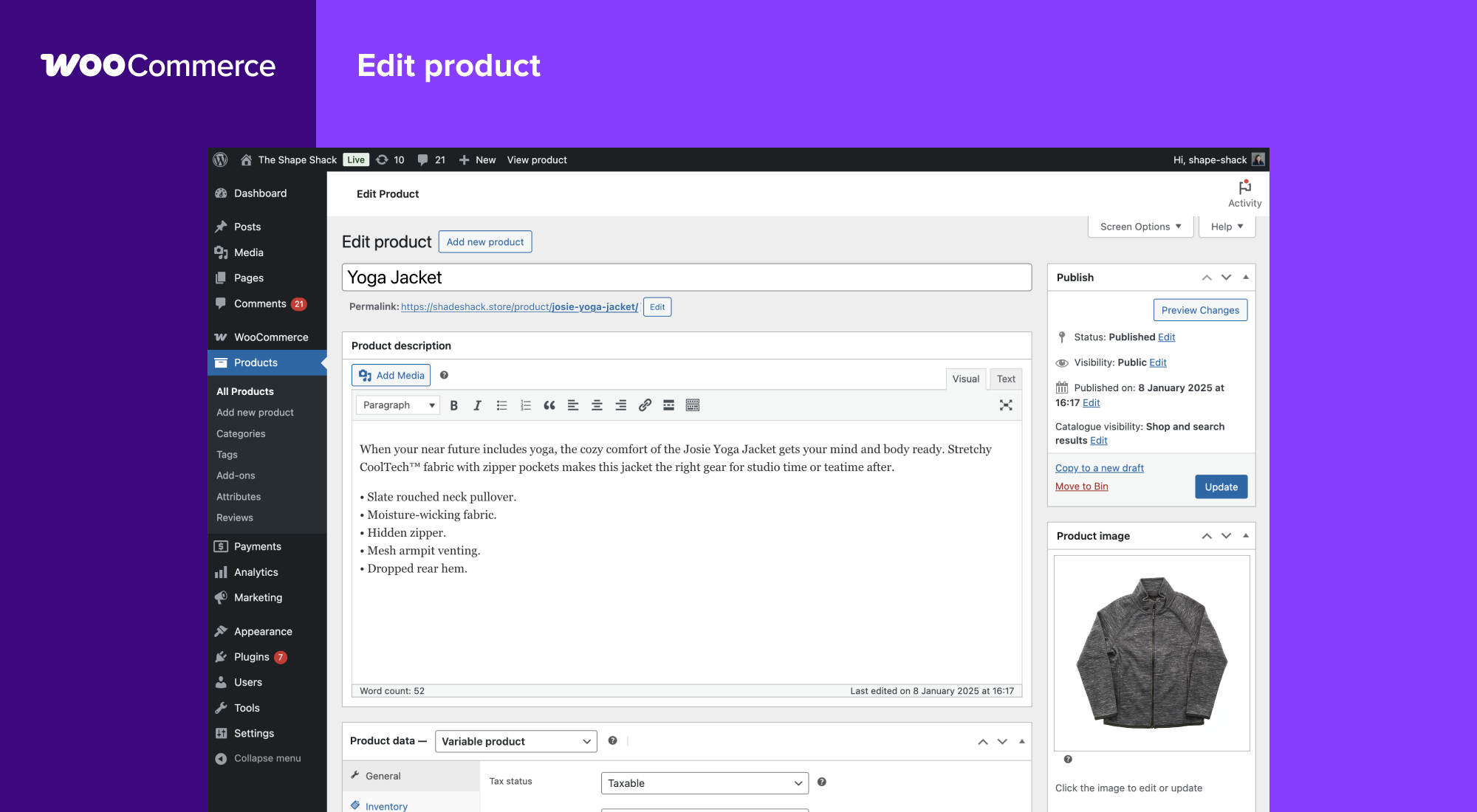

ووكومرس

Description

ووكومرس is the open-source ecommerce platform for WordPress.

Our core platform is free, flexible, and amplified by a global community. The freedom of open-source means you retain full ownership of your store’s content and data forever.

Whether you’re launching a business, taking brick-and-mortar retail online, or developing sites for clients, use WooCommerce for a store that powerfully blends content and commerce.

ALL THE TOOLS YOU NEED TO SELL

Built-in tools and popular integrations help you efficiently manage your business operations. Many services are free to add with a single click via the optional Setup Wizard.

  • Choose how you want to get paid. Conveniently manage payments from the comfort of your store with WooPayments (Available in the U.S., U.K., Ireland, Australia, New Zealand, Canada, Spain, France, Germany, and Italy). Securely accept credit cards, mobile wallets, bank transfers, and cash thanks to 100+ payment gateways – including Stripe, PayPal, and Square.
  • Configure your shipping options. Print USPS labels right from your dashboard and even schedule a pickup with WooCommerce Shipping (U.S.-only). Connect with well-known carriers such as UPS and FedEx – plus a wide variety of delivery, inventory, and fulfillment solutions for your locale.
  • Simplify sales tax. Add WooCommerce Tax or similar integrated services to make automated calculations a reality.

Grow your business, add features, and monitor your store on the go

WooCommerce means business. Keep tabs on the performance metrics most important to you with a powerful and flexible central dashboard built into WooCommerce.

Expand your audience across marketing and social channels with Google Ads, HubSpot, Mailchimp, and Facebook integrations. You can always check out the in-dashboard Marketing Hub for fresh ideas and tips to help you succeed.

Enhance store functionality with hundreds of free and paid extensions from the WooCommerce Marketplace. Our developers vet each new extension and regularly review existing extensions to maintain Marketplace quality standards. We are actively looking for products that help store builders create successful stores.

Manage your store from anywhere with the free WooCommerce mobile app (Android and iOS). Spoiler alert: Keep an ear out for the slightly addictive “cha-ching” notification sound each time you make a new sale!

Own and control your store data – forever

With ووكومرس, your data belongs to you. Always.

If you opt to share usage data with us, you can feel confident knowing that it’s anonymized and kept secure. Choose to opt-out at any time without impacting your store.

Unlike hosted ecommerce solutions, WooCommerce store data is future-proof; you’re free to export all your content and take your site to any platform you choose. No restrictions.

Why developers choose (and love) WooCommerce

Developers can use ووكومرس to create, customize, and scale a store to meet a client’s exact specifications, making enhancements through extensions or custom solutions.

  • Leverage hooks and filters to modify or create functionality.
  • Integrate virtually any service using a robust REST API and webhooks.
  • Design and build custom content blocks with React.
  • Inspect and modify any aspect of the core plugin code.
  • Speed up development with a lightning-fast CLI.

The core platform is tested rigorously and often, supported by a dedicated development team working across time zones. Comprehensive documentation is updated with each release, empowering you to build exactly the store required.

Be part of our growing international community

WooCommerce has a large, passionate community dedicated to helping merchants succeed – and it’s growing fast.

There are WooCommerce Meetups in locations around the world that you can attend for free and even get involved in running. These events are a great way to learn from others, share your expertise, and connect with like-minded folks.

WooCommerce also has a regular presence at WordCamps across the globe – we’d love to meet you.

Contribute and translate

WooCommerce is developed and supported by Automattic, the creators of WordPress.com and Jetpack. We also have hundreds of independent contributors, and there’s always room for more. Head to the WooCommerce GitHub Repository to find out how you can pitch in.

WooCommerce is translated into multiple languages, including Danish, Ukrainian, and Persian. Help localize WooCommerce even further by adding your locale – visit translate.wordpress.org.

Connection to WooCommerce.com

You can connect your store to WooCommerce.com to manage your subscriptions on WooCommerce Marketplace and receive product updates without leaving WordPress admin. Connection also enables installation of purchased products right from WooCommerce.com and streamlines access to technical support. If you’d like to learn about what data is gathered and how it is used, please refer to our Privacy Policy.

Screenshots
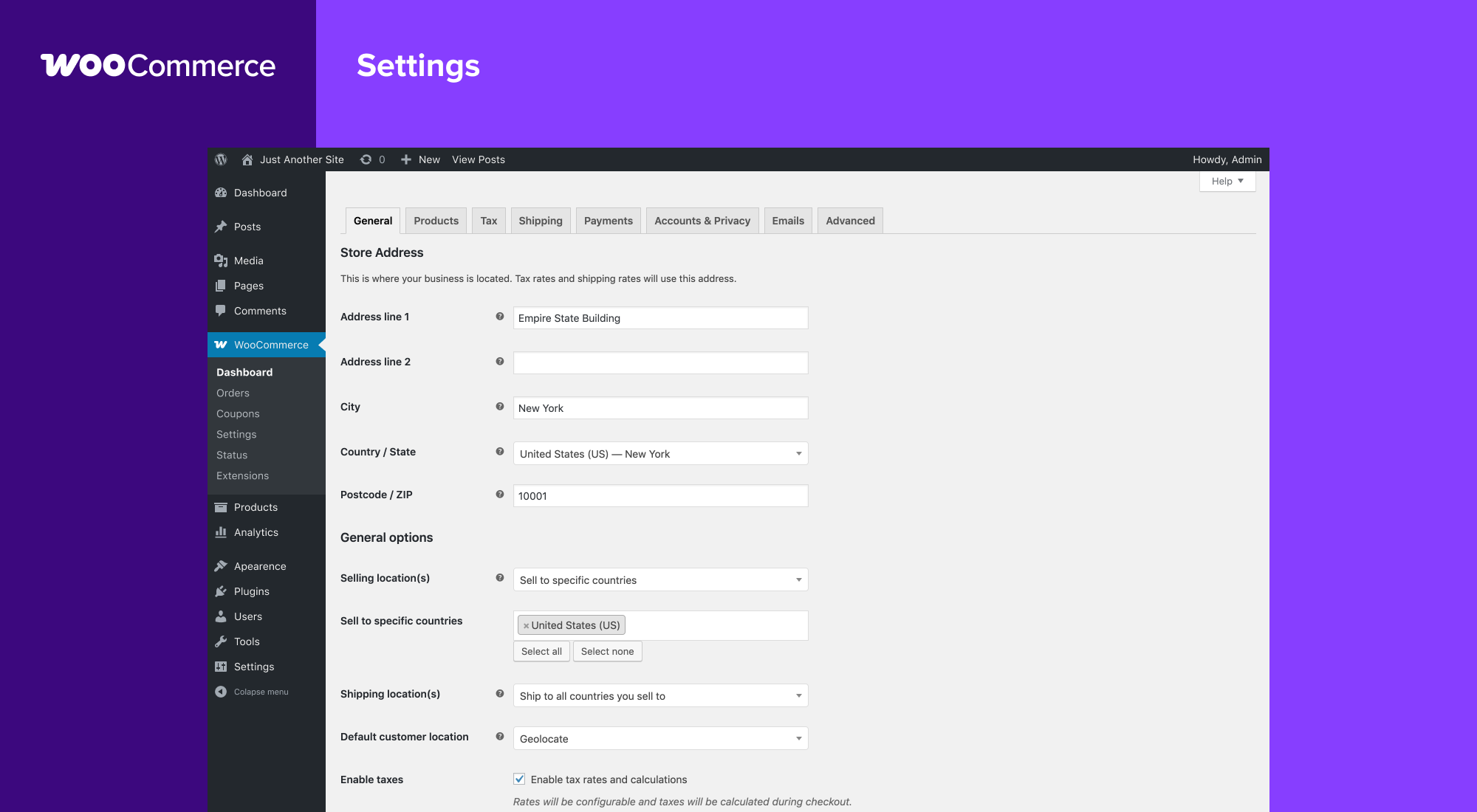
Blocks

This plugin provides 1 block.

  • Coming Soon

Installation

Minimum Requirements

  • PHP 7.4 or greater is required (PHP 8.0 or greater is recommended)
  • MySQL 5.5.5 or greater, OR MariaDB version 10.1 or greater, is required
  • WordPress 6.9 or greater
  • (Recommended) WordPress memory limit of 256 MB or greater.
  • (Recommended) HTTPS support.

Automatic installation

Automatic installation is the easiest option — WordPress will handle the file transfer, and you won’t need to leave your web browser. To do an automatic install of WooCommerce, log in to your WordPress dashboard, navigate to the Plugins menu, and click “Add New.”

In the search field type “WooCommerce,” then click “Search Plugins.” Once you’ve found us, you can view details about it such as the point release, rating, and description. Most importantly of course, you can install it by! Click “Install Now,” and WordPress will take it from there.

Manual installation

Manual installation method requires downloading the WooCommerce plugin and uploading it to your web server via your favorite FTP application. The WordPress codex contains instructions on how to do this here.

Updating

Automatic updates should work smoothly, but we still recommend you back up your site.

If you encounter issues with the shop/category pages after an update, flush the permalinks by going to WordPress > Settings > Permalinks and hitting “Save.” That should return things to normal.

Sample data

WooCommerce comes with some sample data you can use to see how products look; import sample_products.xml via the WordPress importer. You can also use the core CSV importer or our CSV Import Suite extension to import sample_products.csv

FAQ

Where can I find WooCommerce documentation and user guides?

For help setting up and configuring WooCommerce, please refer to Getting Started and the New WooCommerce Store Owner Guide.

For extending or theming WooCommerce, see our documentation, as well as the Plugin Developer Best Practices.

Where can I get help or talk to other users about WooCommerce Core?

If you get stuck, you can ask for help in the WooCommerce Support Forum by following these guidelines, reach out via the WooCommerce Community Slack, or post in the WooCommerce Community group on Facebook.

Where can I get help for extensions I have purchased from the WooCommerce Marketplace?

For assistance with paid extensions from the WooCommerce Marketplace: first, review our self-service troubleshooting guide. If the problem persists, kindly log a support ticket via our helpdesk. Our dedicated Happiness Engineers aim to respond within 24 hours.

I’m having trouble logging in to WooCommerce.com – what now?

First, troubleshoot common login issues using this helpful step-by-step guide. Still not working? Get in touch with us.

Will WooCommerce work with my theme?

Yes! WooCommerce will work with any theme but may require some additional styling. If you’re looking for a theme featuring deep WooCommerce integration, we recommend Storefront.

How do I update WooCommerce?

We have a detailed guide on How To Update WooCommerce.

My site broke – what do I do?

Start by diagnosing the issue using our helpful troubleshooting guide.

If you noticed the error after updating a theme or plugin, there might be compatibility issues between it and WooCommerce. If the issue appeared after updating WooCommerce, there could be a conflict between WooCommerce and an outdated theme or plugin.

In both instances, we recommend running a conflict test using Health Check (which allows you to disable themes and plugins without affecting your visitors) or troubleshooting the issue using a staging site.

Where can I report bugs?

Report bugs on the WooCommerce GitHub repository. You can also notify us via our support forum – be sure to search the forums to confirm that the error has not already been reported.

Where can I request new features, themes, and extensions?

Request new features and extensions and vote on existing suggestions on our official feature request board. Our Product teams regularly review requests and consider them valuable for product planning.

WooCommerce is awesome! Can I contribute?

Yes, you can! Join in on our GitHub repository and follow the development blog to stay up-to-date with everything happening in the project.

Where can I find REST API documentation?

Extensive WooCommerce REST API Documentation is available.

My question is not listed here. Where can I find more answers?

Check out Frequently Asked Questions for more.

Reviews

يونيو 18, 2026 1 reply
I ran into a problem with my site that my theme’s developers weren’t able to help me solve, so I tried the WooCommerce support forum. Within a day I received a thoughtful, detailed response… which also gave me enough info to solve the problem. Much appreciated!
يونيو 10, 2026 1 reply
WooCommerce is a powerful and flexible eCommerce plugin that makes it easy to create and manage online stores of any size. Its extensive customization options, seamless WordPress integration, and wide range of extensions provide everything needed for a professional shopping experience. The platform is user-friendly, scalable, and backed by a strong global community, making it an excellent choice for businesses looking to grow online.
يونيو 7, 2026 1 reply
WooCommerce definitely is the one to go for if you want to add an online shop to your website. Setting up is straight forward, though there will be a bit of work adding payment functionality and a shipping calculator. For UK users it integrates with your Royal Mail Click & Drop account – new orders are automatically fed through to Click & Drop with their contents, total weight, etc and once despatched the order is automatically marked complete. There are plenty of plugins to enhance the basic shop functions. Support is great too.
يونيو 3, 2026 1 reply
I recently had a few issues and got quick responses from support. In the end it was my CSS and also issues in Outlook that were the cause. I’ve been using WooCommerce for my site for 2017 and recommend it. There are plugins for all you needs, is highly customisable and is evolving. I’ve had block -based pages, posts and products for a while and they are a great step forward. Shortly I will move to block-based cart and checkout to get their advantages, when the final plugin gets an update.
يونيو 2, 2026 1 reply
We’ve been working with WordPress for many years and host a large number of WordPress websites at WPHostee.com. It’s hard to imagine WordPress today without WooCommerce. What I like most about WooCommerce is that it gives website owners complete control over their online store. Whether someone is selling a few products or running a large e-commerce business, WooCommerce provides the flexibility to grow without forcing you into an expensive platform. As a hosting provider, we’ve seen countless WooCommerce stores running successfully on our servers, from small local businesses to much larger online shops. The plugin is reliable, regularly updated, and integrates well with the WordPress ecosystem. No software is perfect, but WooCommerce remains the first solution we recommend whenever a client asks us how to build an online store with WordPress. Thank you to the WooCommerce team for continuing to improve and support such an important plugin for the WordPress community.
Read all 4,803 reviews

Changelog

10.9.0 2026-06-23

ووكومرس

  • Fix – Add defensive validation to order action links in order-details.php template to handle malformed entries from third-party extensions. #64492
  • Fix – Add global HTML translate attribute to currency so it doesn’t get auto translated #62037
  • Fix – Add install_plugins capability check to the install-jp-and-wcs-plugins inbox-note action handler so the latent installer call is unreachable to users without the install_plugins capability. #64428
  • Fix – Add product type guard to VariationSelectorAttribute block to prevent fatal error when rendered for non-variable products. #64410
  • Fix – Add stock status and product status indicators to the admin order product selector so admins can see which variations are out of stock, on backorder, or disabled. #64426
  • Fix – Add small to ALLOWED_TAGS to fix price suffix stripped on variable products. #64540
  • Fix – Adopt 2px border-radius on Woo custom inputs and buttons to align with WP 7.0 #64417
  • Fix – Allow the v4 products endpoint to filter by multiple stock statuses. #65155
  • Fix – Announce order note save success to screen readers when adding a note from the order admin meta box, distinguishing between private notes and customer-emailed notes (WCAG 4.1.3). #64891
  • Fix – Avoid priming transient option caches for variable products when a persistent object cache is active, which prevents unbounded growth of the notoptions cache. #65440
  • Fix – Catalog Sorting block: prevent 404s for non-existent JS and CSS asset files. #64682
  • Fix – Clear store_stock push notification dedup meta when product stock recovers above its threshold so future downward crossings emit a fresh push. #64727
  • Fix – Don’t leak title, price, permalink, or image for non-public products (draft, private, password-protected, etc.) in shopper-list responses. #65263
  • Fix – Drop the outdated “app version needs to be 15.7” helper text from the mobile-app modal QR view and surface the underlying Jetpack error in the magic-link failure notice so support and merchants can diagnose the problem instead of hitting a generic retry message. #65111
  • Fix – Fix account dropdown button height mismatch with search input in Marketplace header #64420
  • Fix – Fix Add to Cart Button not working on Products (Beta) block #65525
  • Fix – Fix Analytics order stats for lump-sum full refunds (e.g. order status set to Refunded) so net revenue uses product net, not the full refund total. #64106
  • Fix – Fix array to string conversion warning in wc_query_string_form_fields() when URL contains nested query string parameters. #64010
  • Fix – Fix attribute escaping in product gallery dialog images and remove the broken loading attribute so dialog images render eagerly as intended #64673
  • Fix – Fix a typo in the site_not_connected installer error code (previously emitted as site_not_connnected). WooCommerce.com continues to accept both spellings, so existing sites are unaffected. #64180
  • Fix – Fix BatchProcessingController::enqueue_processor() appending duplicate entries to the wc_pending_batch_processes option. #65543
  • Fix – Fix categories report filtering when term_id differs from term_taxonomy_id #64548
  • Fix – Fix Customers analytics screen failing to render when a customer record contains a country value that collides with an Array index or property name. #64633
  • Fix – Fix handling of array input types in the dual API #64735
  • Fix – Fix highest shipping cost shown before address entry when using Local Pickup with block checkout. Also improves shipping rate selection UX with optimistic UI updates in the order totals. #64092
  • Fix – Fix Interactivity API hydration warning on shopper-collection rows for items without product variations. #65263
  • Fix – Fix JS TypeError when product excerpt metabox is removed. #64346
  • Fix – Fix locale leak in WC_Email_New_Order::trigger(): restore_locale() was not called when the email was skipped due to already being sent, leaving the locale set for the remainder of the request. #64859
  • Fix – Fix PHP 8.1+ deprecation notice when passing null to preg_match in WC_Eval_Math. #64158
  • Fix – Fix PHP warning for undefined array key fixedWidth in ProductCollection Renderer when using Fixed Width + Carousel #64432
  • Fix – Fix report transient cache key instability caused by DateTime serialization with microseconds in get_cache_key #64430
  • Fix – Fix responsive layout issue on Status admin screen notice buttons #65298
  • Fix – Fix tax rate labels containing percent signs (e.g. “%15 KDV” in Turkish locale) being corrupted when stored on order items. #64154
  • Fix – Fix typo: “recieved” corrected to “received” in code comments and strings. #64433
  • Fix – Fix Variation Selector: Attribute Name colors not being applied in the editor #65010
  • Fix – Fix wc_customer_bought_product() returning false for unlinked guest orders when a matching user ID is supplied. #65531
  • Fix – Fix webhook topic validator accepting coupon.published, customer.published, customer.restored, and order.published topics that have no registered hook, causing webhooks to save as Active but never deliver. The validator now derives the default-pair allowlist from the new WC_Webhook::get_default_topic_hooks() static, so extensions that register hooks for those pairs via woocommerce_webhook_topic_hooks are honored automatically. #64505
  • Fix – Fix cartItemScreenReaderPrice filter output being announced by screen readers as separate fragments instead of a single sentence. #64480
  • Fix – Fix customer_note query arg being silently ignored when using HPOS order storage. #64467
  • Fix – Hide the WordPress admin footer text on the experimental All Products dashboard. #64705
  • Fix – Honor the configured product count color for the Mini Cart badge on the frontend when using the Interactivity API. #64411
  • Fix – Honor #[ArrayOf] on query and mutation return types in the GraphQL API builder #65235
  • Fix – Improve diagnostics for failed analytics order imports. #64588
  • Fix – Keep product dashboard snackbar notices visible above the quick edit drawer. #65220
  • Fix – Keep Store API visual attribute term data opt-in with __experimental_visual. #65432
  • Fix – Make the payment provider setup-required error message more actionable. #64799
  • Fix – Preserve deferred transactional email object arguments when queued through Action Scheduler. #64820
  • Fix – Preserve the ‘X’ check digit in ISBN-10 identifiers entered in the GTIN/UPC/EAN/ISBN product field. The server-side sanitizer, classic editor validation, and block editor input pattern previously stripped or rejected ‘X’, silently truncating valid ISBN-10s such as 157249042X. #64889
  • Fix – Prevent a _load_textdomain_just_in_time notice from firing on every request when the GraphQL API feature is registered. #64881
  • Fix – Prevent the Marketplace product card title focus ring from being clipped. #64788
  • Fix – Product data and Coupon data tabs: restore a visible keyboard focus indicator. The tabs previously suppressed the WordPress core focus ring without providing a replacement, leaving keyboard users without a perceivable indicator (WCAG 2.4.7, 2.4.11, 1.4.1). #64890
  • Fix – Product image tooltip: set aria-label via DOM attribute instead of interpolating the translated string into the HTML template, preventing broken markup when the translation contains characters such as quotes. #64888
  • Fix – Promote the simple-product offer’s price and currency to the top of the JSON-LD offer so Google Search Console accepts the structured data. #65123
  • Fix – Re-add the analytics full refund fix tool to Status > Tools, shown only for stores with old refund data. #64143
  • Fix – Relax MCP outputSchema published for REST-derived abilities so structuredContent validates in MCP clients (Cursor, Claude Desktop): strip format: date-time and format: uri (WooCommerce REST dates omit timezone and URI fields can be empty), and widen every declared scalar type to the full JSON type union plus null so fields whose declared type disagrees with the controller’s actual response — including ones returned as arrays or objects, like meta_data[].display_value — still validate. #64787
  • Fix – Remove duplicate tfoot elements in the My Account order details template. #64358
  • Fix – Remove unnecessary gap in Product Filters block #64599
  • Fix – Replace developer-facing “Plugin API call failed” error with merchant-friendly copy that explains the issue and suggests next steps. #64186
  • Fix – Replace hardcoded /wp-content path with WP_CONTENT_DIR constant. #64376
  • Fix – Set cartPageHasSavedForLater from the Shopper Collection block itself so the cart “Save for later” link shows when the block is auto-injected as a hooked block (which has_block() does not detect). #65263
  • Fix – Shopper Collection: skip rendering and asset enqueue for logged-out shoppers. #65263
  • Fix – Skip scheduling and sending the customer review-request email when the order has no reviewable items (every product has reviews disabled per-product or site-wide, or every reviewable item is already reviewed for that order). #64960
  • Fix – Stop rendering thumbnail images in inbox notes; deprecate Note::set_image(), Note::get_image(), Note::set_layout(), Note::get_layout() and the 'thumbnail' layout value, all of which will be removed in a future release. #64443
  • Fix – Store API: reuse the session’s pending/failed order on checkout POST retry instead of creating a duplicate. Also restore session precedence for payment_method in the deferred-draft response so a shopper’s PATCH-time selection isn’t overwritten by their saved default. #64806
  • Fix – Store fulfillment datetimes as UTC and return them from the REST API as ISO 8601 with an explicit Z suffix so they render correctly on non-UTC sites. #64260
  • Fix – Update Featured Product and Featured Category block previews in the inserter so they better match the frontend #64206
  • Fix – Validate product_query before using in WC_Product_Data_Store_CPT. #64360
  • Fix – Push notifications: cancel the safety-net Action Scheduler action on delivery by matching schedule and cancel on a single identity-keyed args shape, so stale actions no longer fire ~60s later (and the retry path can no longer produce duplicate pushes). #65589
  • Fix – Fix product filters not applying when Full Page Reload is enabled in the Product Collection block. #65601
  • Fix – Only save published products to shopper lists. #65899
  • Fix – Fix adding to cart variable products with an ‘Any’ attribute from the Add to Cart + Options block when in legacy mode #65934
  • Add – Add a “Save for later” link beneath each cart line item that saves the item to the saved-for-later shopper list and removes it from the cart on success. The link is only shown to logged-in users and is hidden in the mini-cart. #65263
  • Add – Add a configurable endpoint URL to the GraphQL settings section. #64350
  • Add – Add a configurable maximum query depth to the GraphQL settings section. #64325
  • Add – Add after_password_reset action hook for parity with WordPress core. #64380
  • Add – Add a merchant-configurable maximum-rating threshold to the store_review push notification, so only reviews at or below the threshold trigger a notification. Default behaviour (notify on every approved review) is unchanged. #64565
  • Add – Add a merchant-configurable minimum-amount threshold to the store_order push notification, so only orders at or above the threshold trigger a notification. Default behaviour (notify on every enabled order) is unchanged. #64509
  • Add – Add a metadata mechanism to the dual code+GraphQL API #64800
  • Add – Add a native transactional email log. Each send attempt is recorded under WooCommerce Status Logs (source: transactional-emails), capturing the type, related order or object, send status, and recipient (WordPress username for registered users, “guest” for unrecognised addresses). Failed sends include the error reason from wp_mail_failed. #64491
  • Add – Add an in-app confirmation flow to the mobile-app QR login: wc-admin polls a new status endpoint while the QR is on screen, transitions to a “Signed in successfully on {device}” panel after the mobile app exchanges the token, exposes an “It wasn’t you? Revoke access” button, and adds a persistent “Renew code” button alongside the countdown. The Application Password is now named with the device model and date so the merchant can identify it in Users Profile Application Passwords. #65111
  • Add – Add an opt-in settings UI SDK path for WooCommerce settings pages. #64387
  • Add – Add an order milestone celebration for the 1st, 100th, and 1000th paid orders. #64679
  • Add – Add a number-matching approval step to the mobile-app QR login: after the merchant scans the QR, the mobile app shows a 3-digit number, and wc-admin asks the merchant to tap the matching value from a server-shuffled triple. A wrong tap (or the explicit “I don’t recognise this device” cancel link) terminates the session permanently — defending against shoulder-surfed QR codes and leaked screenshots. Older mobile clients without the new capability flag receive 426 Upgrade Required so they can prompt for an app update. #65111
  • Add – Add a setting to toggle Apollo Automatic Persisted Queries (APQ) caching on the GraphQL settings page. #64448
  • Add – Add a setting to toggle the ObjectCache-backed parsed-query cache on the GraphQL settings page. #64415
  • Add – Add canonical WooCommerce domain abilities for product and order management. #64606
  • Add – Add change-summary REST endpoint and service for surfacing block email template updates. #64484
  • Add – Add configurable parsed query cache TTL to GraphQL settings #64488
  • Add – Add experimental inner block protocols for product filter blocks. #64585
  • Add – Add filters for dual API debug mode and introspection, and surface status resolver failures in debug mode. #64729
  • Add – Add granular type- and field-level authorization to the dual code+GraphQL API #65235
  • Add – Add native variation gallery support: each variation can now have its own ordered image set, replacing the retired Additional Variation Images extension. Includes a migrator for legacy data and a runtime fallback so existing stores keep displaying their galleries. #64524
  • Add – Add OPcache-backed caching for parsed GraphQL queries, with fallback to the WP object cache. #64596
  • Add – Add per-user push notification preferences REST endpoint at /wc-push-notifications/preferences. #64351
  • Add – Add QR code login for the WooCommerce mobile app so eligible store managers can sign in directly without a linked WordPress.com account. #65111
  • Add – Add quick edit and bulk product actions to the experimental products app. #64481
  • Add – Add Review drawer UI for selectively applying block email template updates. #64497
  • Add – Add selective apply + undo REST endpoints for block email template updates. #64497
  • Add – Add Stage 1 of the variations classic redesign: a DataViews-based Variations tab in the classic product editor, behind the product_variations_classic_redesign feature flag (default off). #64595
  • Add – Add Stripe IPP channel check to POS order identification for email suppression. #64029
  • Add – Add the foundation for shopper lists via new Store API endpoints under /wc/store/v1/shopper-lists. Lists are persisted per-user in usermeta. #65263
  • Add – Add the logic to clear “wc_attribute_taxonomies” transient and cache when clicking on “clear transients”. #64240
  • Add – Add the store_stock push notification covering low-stock, out-of-stock, and backorder events. All three events are enabled by default and each one has its own merchant-configurable sub-flag. #64600
  • Add – Add the order-detail-redesign feature flag (default off). When enabled, caps the admin Order edit screen at 1200px on wide displays. #64669
  • Add – Add the woocommerce/add-to-wishlist-button block: shipped as an inner block of woocommerce/add-to-cart-with-options on the single-product template (block themes only). Toggles the currently configured product (parent or selected variation) in the shopper’s wishlist via the shared shopper-lists iAPI store. Hidden for guests. #65263
  • Add – Add the woocommerce/wishlist block: renders the shopper’s wishlist via the shared shopper-lists Store API and iAPI store, composes the ShopperListRenderer shared row markup, and ships an “Add to cart” per-row action that adds the product to the cart and removes the row from the wishlist on confirmed success. The /my-account/wishlist/ endpoint now renders this block instead of its placeholder. #65263
  • Add – Add Tracks instrumentation for the block-email update flow: server-side _available, _applied (auto + selective), and _backfill_completed events, plus list-page _viewed. Also stamps the backfill-complete option on fresh installs so the divergence sweep is not permanently dormant. #64759
  • Add – Add Tracks instrumentation to the floating header’s Screen Options (gear) and Help (?) icon buttons. Fires wcadmin_header_meta_icon_click with icon and action (open/close) so engagement with these two icons can be measured. #65131
  • Add – Add WC REST API v4 product filters for stock quantity ranges. #65117
  • Add – Add WooCommerce 11.0 removal notices for the deprecated product editor feature, extension APIs, and public PHP classes. #65333
  • Add – Add can_be_refunded field to v4 order and line item REST API responses. #64162
  • Add – Add get_entry_count() to FeedInterface so product feed consumers can report the number of rows actually written to the feed (distinct from the number of products iterated by ProductWalker). #64394
  • Add – Allow the shipping zones REST API endpoint to be extended #64246
  • Add – Auto-inject the Shopper Collection block on the cart page when the shopper lists feature is enabled. #65263
  • Add – Customer Review Request: render one row per line item on the Review Order page so customers can leave distinct reviews for each variation of a variable product they bought, and surface the variation’s attribute summary on the parent product’s Reviews tab. #64984
  • Add – Filter push notifications by per-user preferences so opted-out merchants don’t receive disabled notification types on their devices. #64487
  • Add – Gate shopper lists behind a new experimental flag. #65263
  • Add – Register a settings entity in the WooCommerce Blocks entities module so admin clients can read store settings via core-data. #65127
  • Add – Send the merchant a transactional email after a successful QR mobile-app sign-in summarizing the device, OS, app version, and timestamp, with a “revoke access” link. Wrapped in a woocommerce_qr_login_should_send_signin_email filter so site owners can suppress the send. #65111
  • Add – Shopper Collection: add a built-in heading inner block (defaults to “Saved for later” at H2). Editable in the block editor. #65263
  • Add – Shopper Collections: add experimental wishlist support. #65263
  • Add – Surface update-available indicator in the block email editor (RSM-141) #64675
  • Add – Wire the Shopper Collection (Saved-for-later) block to the shopper-lists Store API via a private iAPI store, with server-side rendering of saved items, optimistic remove, and Move-to-cart for simple products. #65263
  • Add – Add a settings section registry so extensions can render sections in existing settings tabs with Settings UI. #65866
  • Add – Render the Add to Wishlist Button inside the Add to Cart + Options block as the last child when the (experimental) wishlist feature is enabled, without modifying the shipped template parts. #65820
  • Update – Add readonly variation attributes #65255
  • Update – Add three-way diff for block email template change-summary and selective apply when the new _wc_email_template_last_core_render post meta is present. #64716
  • Update – Add to Cart + Options: Variation Selector block now can use the same inner blocks as Product Filters #64887
  • Update – Add tracking for attribute type when updating or saving product attributes #65228
  • Update – DataViews – All Products: add quick edit panel #64481
  • Update – Deprecate Product Editor v2 #65333
  • Update – Don’t allow adding multiple Product Filters blocks on the same page or template #64538
  • Update – Hide the cart “Save for later” link when the user is logged out, the cart_save_for_later feature is disabled, or the cart page has no woocommerce/shopper-collection block. #65263
  • Update – Move OrderDetailRedesign feature class to the Internal namespace so it can be removed without breaking backwards compatibility if the feature is not shipped. #64669
  • Update – Refactor Product block to use isPreviewMode flag #63270
  • Update – Remove the task list reminder bar from WooCommerce admin. The Finish setup entry in the activity panel remains as a quieter, non-obstructive alternative. The woocommerce_task_list_reminder_bar_hidden option is removed from the wc-admin REST options allowlist, and a one-time migration cleans it up from existing stores. TaskList::possibly_remove_reminder_bar() and TaskList::REMINDER_BAR_HIDDEN_OPTION are retained as deprecation stubs. #64353
  • Update – Rename ‘Select’ attribute type to ‘Text’ in all user-facing strings #64570
  • Update – Rename CartCheckoutUtils::is_overriden_by_custom_template_content() to is_overridden_by_custom_template_content(). The misspelled name is preserved as a deprecated alias for backwards compatibility. #64461
  • Update – Replaces PanelBody with ToolsPanel in the Coming Soon block #64768
  • Update – Require a wc_store_api Nonce header on shopper-lists item writes. #65263
  • Update – Update admin modal styles to keep them more consistent #64265
  • Update – Update product filter color handling to use block and global styles. #64586
  • Update – Update the WooCommerce ability category description to cover extension abilities. #64934
  • Update – Enable the push notifications feature by default. #65572
  • Update – Add styles for the settings UI number spin control (hide the native spinner, position the +/- buttons). #65729
  • Update – Update settings UI layout to the agreed design values: 720px container width, 16px spacing between stacked fields, and 24px between cards. #65729
  • Update – Rename the settings UI script handle from wc-settings-ui-sdk to wc-settings-ui (never shipped in a release). #65893
  • Update – Update settings UI layout to the agreed design values: 720px container width, 16px spacing between stacked fields, and 24px between cards. #65893
  • Dev – Add E2E tests for block email template update propagation. #64817
  • Dev – Add embedded product variation links to the WC REST API v4 products endpoint. #64566
  • Dev – Add extra flexibility to the authentication and authorization stages of the dual code+GraphQL API. #64647
  • Dev – Add extra flexibility to the HTTP status code computation of the dual code+GraphQL API. #64699
  • Dev – Add Interactivity API packages to the WordPress minimum-version dependency catalog. #65405
  • Dev – Address CodeRabbit review feedback on the Back in Stock Notifications alpha and apply small follow-on cleanups: extract email-link action tokens into EmailActionController constants, remove the pre-WP-6.8 hasher compatibility shim now that WooCommerce requires WordPress 6.8, delete the in-tree sprint scratch docs (SPRINT.md, CODERABBIT-TRIAGE.md, CODERABBIT-TRIAGE-RAW.md) ahead of merge, and fix the assorted CR-flagged bugs (cancel-action copy-paste, split verification/unsubscribe keys, guard unreadable notifications in retention and privacy erasers, repair admin create-form option tags, correct background-processor operator precedence, rename typo filter, drop unused sprintf arg). #64329
  • Dev – Add unit test coverage for the products and coupons GraphQL API commands. #65194
  • Dev – Add WooPayments onboarding business details regression tests. #65357
  • Dev – Auto-apply the current core block template render to woo_email posts classified as core_updated_uncustomized after a plugin upgrade. Batched via Action Scheduler so the upgrade request is not blocked. Posts edited by the merchant are left untouched. #64450
  • Dev – Bump mockery/mockery dev dependency to ^1.6.10 to silence PHP 8.4 implicit-nullable deprecation warnings emitted on every request when opcache is disabled. #64873
  • Dev – Comment: Add unit tests for the experimental GraphQL infrastructure #64479
  • Dev – Correct @since tags on push notification preference filtering methods introduced in 10.9.0. #65380
  • Dev – Define the __i18n_text_domain__ identifier used by the email editor package as "woocommerce" in the admin and blocks webpack builds so strings continue to extract and translate under the woocommerce text domain. #64356
  • Dev – Dev: swap unmaintained Suin PSR-4 sniff for Slevomat to keep PHPCS working on PHP 8.5. #64875
  • Dev – Document new gallery_image_ids field on /wc/v3/products//variations endpoint (added in #64524). #65290
  • Dev – e2e tests: Fix missing baseURL guard in restApi fixture #65520
  • Dev – Export shared payment method icons and getCommonIconProps from @woocommerce/blocks-checkout. #64617
  • Dev – Extract shared authorize_as_authenticated logic from the push notifications REST controllers into a new AuthorizesPushNotificationRequests trait. #65380
  • Dev – Fix MCP provider test Abilities API registry bootstrap. #65223
  • Dev – Fix PHPUnit assertions for deferred email queue object round trips and Store API checkout failed-payment retries. #65226
  • Dev – Fix typos in code: linkToDescrption, unkown-status, identifer. #64882
  • Dev – Fix typos in comments and docblocks. #64950
  • Dev – fix unit test env setup #65341
  • Dev – Improve payment setup fallback test coverage and translator context. #64860
  • Dev – Monorepo: address circular dependencies surfaced by SWC TDZ. #64797
  • Dev – Move GraphQL infrastructure classes used by autogenerated code out of the Internal namespace into Api\Infrastructure #65151
  • Dev – Move TypeScript type-checking from the build to a new lint:lang:types script. Builds now emit types and JS without type-checking. #65168
  • Dev – Pass ShopperList and ShopperListItem objects directly to their Store API schemas instead of round-tripping through to_array(); no JSON response shape change. #65263
  • Dev – Product Collection E2E: close the global inserter before choosing a collection so hover previews do not block the placeholder controls. #65393
  • Dev – Reduce variability in payment gateway is_available implementations. #64386
  • Dev – Refresh PHPStan baseline to reflect changes from PR 64406. #64543
  • Dev – Remove Legacy REST API settings section, admin notices, auto-install logic, and UI nudges from WooCommerce core. The Legacy REST API extension continues to work if manually installed. #64076
  • Dev – Remove the stale experimental iAPI runtime feature flag and custom runtime build path. #65404
  • Dev – Remove the unused settings editor package and related feature flag paths. #65316
  • Dev – Saved for Later: split standalone block from the Shopper Collection variation; shared shopper-lists REST + iAPI domain remains reusable for future list-type blocks. #65263
  • Dev – Saved for Later tests: reset the LegacyProxy is_cart() mock in a finally block so it can’t leak into later tests sharing the same process. #65263
  • Dev – Shopper lists: extract the shared row markup (image, name, price, remove badge, variation overlay) into a ShopperListRenderer helper and a _shopper-lists/item SCSS partial. Saved for Later now composes the helper; the same scaffold is what the upcoming Wishlist block will reuse. #65263
  • Dev – Surface an “Update available” indicator on the email list page that links into the editor with a deep-link review parameter so merchants can see which transactional emails have customizations diverging from the current core template. #64547
  • Dev – Switch Taxonomy type imports in product collection taxonomy controls from @wordpress/core-data/src/entity-types to the package’s public root export. #65386
  • Dev – Trap wp_safe_redirect() in EmailActionControllerTests so PHPUnit no longer silently halts mid-suite on the Back in Stock Notifications redirect tests. #65207
  • Dev – Updates internal references to REST API documentation. #64720
  • Dev – Use %i placeholder for table name in set_customer_first_order() SQL query. #64435
  • Dev – Wire verification and confirmation emails for the Back in Stock Notifications alpha: dispatch the verify email when double opt-in is required on signup, dispatch the confirmation email on successful verification, add a rate-limited frontend resend endpoint, fix the admin Resend verification button to actually send, and apply standard UTM parameters to all notification email links. #64348
  • Dev – Add a smoke test for the settings UI feature flag off state. #65575
  • Dev – Add NOX onboarding critical-flow documentation and E2E coverage. #65582
  • Dev – Move an inline comment to its own line in wc_customer_bought_product() to satisfy PHPCS (no functional change). #65590
  • Dev – Surface Settings UI fallback through wc_doing_it_wrong. #65587
  • Tweak – Add a new standalone wc-admin page at /mobile-app-login for merchants who already have the Woo mobile app installed and want to sign in via QR code scan. #65111
  • Tweak – Address security review findings on the Task 7 QR login flow: add a database-backed atomic claim to /qr-login-scan to prevent two concurrent scans from both writing a fresh challenge (the loser’s session_id was silently orphaned), bind /qr-login-session-status grant delivery to proof of token knowledge via a required token_hash parameter, and clear the plaintext token from React state once the scan is in. #65111
  • Tweak – Align embedded admin notice padding with WordPress 7.0. #64809
  • Tweak – Align order preview action button border, radius, and height with WordPress 7.0 secondary button style. #64354
  • Tweak – Align Settings UI SDK embed styling with the settings card design. #65567
  • Tweak – Align Woo admin primary text (#2c3338 #1e1e1e / $gray-900) and placeholder text (#646970 #757575 / $gray-700) colors with WordPress 7.0 admin gray scale, using SCSS tokens. #64280
  • Tweak – Always show the QR direct login as the primary path in the mobile app modal, with the WordPress.com magic link available as a secondary CTA when the user has a linked WordPress.com account. #65111
  • Tweak – Defer focus ring widths to WordPress’s –wp-admin-border-width-focus variable so Woo’s keyboard focus indicators adopt the density-responsive behavior (2px default, 1.5px retina) that WP core ships. #64249
  • Tweak – Expose the wc-visual attribute type through WooCommerce feature settings instead of the wc-admin beta feature list. #65169
  • Tweak – Fix misspelled words in data-stores.md (“hydates” “hydrates”) and style-guide.md (“understable” “understandable”). #64230
  • Tweak – Improve the error shown on the QR mobile-app login screen when application passwords are disabled: drop the “ask a site administrator” copy (the merchant hitting this flow is already an admin or shop manager) and replace it with an inline link to the WordPress application-passwords documentation so they can figure out which constant or plugin disabled them. #65111
  • Tweak – Left-align the QR number-match cancel row and the modal FAQ paragraph so they match the rest of the “Sign into the app” step content. #65111
  • Tweak – Link the meta box border-radius bridge CSS to its upstream Trac ticket so future maintainers know when to remove it. #64454
  • Tweak – Log mailer failures from the QR sign-in notification email via wc_get_logger() instead of swallowing the exception silently, so a misconfigured mailer is observable rather than invisible. The exchange response is still never blocked by mail delivery. #65111
  • Tweak – Move logic to init chips colors to the Chips inner block #64887
  • Tweak – Order notes meta box: clarify note visibility (visibility label, dynamic CTA, customer-note header, email template link, customer-note delete confirmation) and modernize bubble styling for WP admin alignment. #64476
  • Tweak – Polish the floating WC Admin header across Home and Settings: store icon for View store / Preview store, even icon spacing, fix the user-options click race, align title typography / colour / padding to WordPress design tokens, and …