
Description
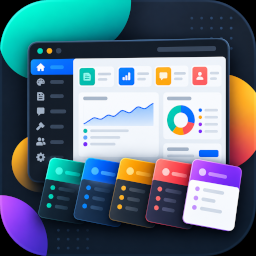
Precise Expressions Admin Material Colors Lite adds a clean, modern Material-inspired admin color scheme to your WordPress dashboard with per-user customisation located directly on your Profile screen (Users Profile).
Features in the Lite Version:
- Curated Preset Schemes: Includes “Arctic Minimal” and “Blue Steel” palettes for preview. Click Update Profile to save and apply a selected preset.
- Core Customisation: Customize the Menu Background and Main Content Background to match your personal workflow.
- Fixed Supporting Styling: Uses fixed supporting text, navigation, and button styling alongside your two chosen backgrounds.
- Per-User Preferences: Stored securely as user metadata, ensuring each team member can customize their own view without altering site-wide styles.
- Dynamic CSS: Saved preferences are applied after Update Profile without adding external stylesheets.
Lite vs. Pro (Standalone Replacement)
- Lite: 2 curated preset palettes and 2 customizable background color slots (Menu Background and Main Content Background).
- Pro: An all-in-one standalone replacement (does not require Lite). Features 24+ modern SaaS palettes, full editing across all 8 color slots, 5-slot scheme history, custom scheme naming, and license management.
- Smooth Upgrades: Pro is a standalone replacement that preserves Lite’s two colour preferences. Lite leaves any existing Pro-specific colour metadata untouched.
Screenshots


Installation
- Upload the
precise-expressions-admin-material-colors-litefolder to your/wp-content/plugins/directory, or install the ZIP through Plugins Add New Plugin Upload Plugin. - Activate the plugin through the Plugins screen in WordPress.
- Navigate to Users Profile and locate the Administration Color Scheme and Admin Material Colors Lite sections.
- Select a preset scheme or adjust the Menu and Main Background colors, then click Update Profile.
Upgrading to Pro
- Install and activate Precise Expressions Admin Material Colors Pro.
- Pro will automatically deactivate Lite upon activation to prevent interface duplication.
- Your existing color settings are preserved in your user profile.
- Go to Settings Admin Material Colors to activate your Pro license key and unlock all 24+ palettes, history, and full 8-color editing.
- If you ever deactivate Pro, you can voluntarily reactivate Lite at any time with your saved colors intact.
FAQ
-
Where do I customize my admin colors?
-
Go to Users Profile and scroll to the “Admin Material Colors Lite” section under Administration Color Scheme.
-
What is the difference between Lite and Pro?
-
Lite provides a focused two-colour customizer for your admin menu and main content backgrounds with curated presets. The Pro version offers full palette control across all 8 color slots, 24+ presets, 5-slot scheme history, and custom scheme naming.
-
Will upgrading to Pro overwrite my saved colors?
-
No. Lite stores its Menu Background and Main Content Background preferences as user metadata. Pro preserves those Lite preferences, and Lite does not delete any existing Pro-specific metadata.
-
Can I switch back to Lite if I deactivate Pro?
-
Yes. When Pro is deactivated, Lite can be voluntarily reactivated from the Plugins screen. Your saved color preferences will remain intact.
-
Does this plugin track user data or load external assets?
-
No. Lite does not phone home, does not load third-party CDNs, and only stores color preferences in standard WordPress user metadata.
Reviews
There are no reviews for this plugin.
Contributors & Developers
“Precise Expressions Admin Material Colors Lite” is open source software. The following people have contributed to this plugin.
Contributors
Translate “Precise Expressions Admin Material Colors Lite” into your language.
Interested in development?
Browse the code, check out the SVN repository, or subscribe to the development log by RSS.
Changelog
1.2.1
- Corrected Lite to read, apply, and save only its two documented colour preferences: Menu Background and Main Content Background.
- Kept the two curated presets while using fixed supporting styling instead of additional per-user colour fields.
- Renamed Lite code identifiers and asset handles with a plugin-specific prefix.
- Moved static profile styling to an enqueued stylesheet and refreshed translations and documentation.
1.2.0
- Updated the profile UI, translations, documentation, and standalone Pro compatibility handling.
1.0.0
- Initial release with per-user dynamic admin color scheme support and curated preset schemes.