
Description
Offair replaces the screens WordPress shows when it breaks (database connection error, fatal PHP error, update notice) with branded pages, and records each time a visitor sees one. Offair for MainWP brings this into your MainWP Dashboard.
MainWP checks your sites from the outside, every few minutes at best, and only the home page. Offair records what visitors actually saw: a database that drops for two minutes between two checks, a fatal error on the product page while the home page works, an update stuck in maintenance. This extension gathers these outages from all your sites.
What you get
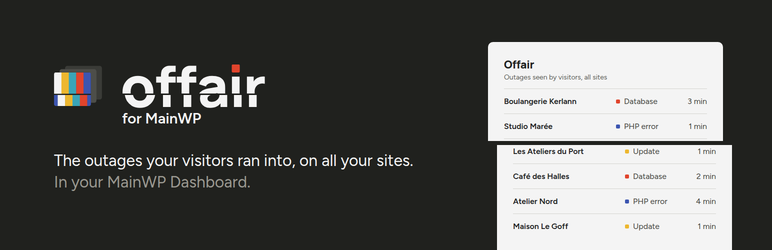
- A widget on the overview: the outages of the last 30 days on all your sites.
- A widget on the page of each site: its recent outages, with a link to its Offair settings.
- An Offair page under Add-ons: every outage of the last 90 days on every site, filtered by site and by page, the downtime of each site over 30 days, and the sites that do not report their outages yet.
Each outage shows its page in color: database error, PHP error or maintenance. The maintenance pages shown less than a minute, as during most updates, are counted on one line instead of filling the lists. The Offair page can list them too.
The state of the Offair pages of each site (in place, missing, needing regeneration) is not repeated here: Offair reports it in Site Health, which MainWP already monitors.
How it works
The outages travel in the synchronization MainWP already runs, automatically or with the Sync button. There is no new connection and no extra request, and the authentication is the one of MainWP. The list is as fresh as your last synchronization. For an alert as soon as a database goes down, turn on the email alert of Offair on the site.
Each site sends only the version of Offair and its outages: the page, the start, the end and the HTTP status. Offair records nothing about visitors.
Requirements
- MainWP Dashboard on the dashboard site.
- On each site: MainWP Child, and Offair 1.3.0 or later. Nothing else to install on the sites.
Screenshots


Installation
- Install and activate Offair for MainWP on your MainWP Dashboard site.
- Install Offair 1.3.0 or later on your sites. MainWP can do it for all of them from Plugins, Install.
- Synchronize your sites.
FAQ
-
A site does not report its outages. Why?
-
The Offair page tells why: Offair is not installed, inactive, or older than 1.3.0, or the site has not been synchronized since the extension was installed. Install or update Offair on the site, then synchronize.
-
Does it replace an uptime monitor?
-
No. Offair only sees an outage when a visitor, or a bot, runs into one of its pages. It cannot see a site that is down while nobody visits it, or a server that does not answer at all. Keep the uptime monitoring of MainWP on: the two complement each other.
-
Does it send data anywhere?
-
No. The extension only reads what your sites send to your own MainWP Dashboard during the synchronization. It stores it with the other data of each site, and removes it when uninstalled.
-
Is it made by MainWP?
-
No. Offair for MainWP is made by Nolidev, the author of Offair. MainWP is a trademark of its owners.
Reviews
There are no reviews for this plugin.
Contributors & Developers
“Offair for MainWP” is open source software. The following people have contributed to this plugin.
Contributors
Translate “Offair for MainWP” into your language.
Interested in development?
Browse the code, check out the SVN repository, or subscribe to the development log by RSS.
Changelog
0.2.4
- Hardening: the data sent by each site at synchronization is checked more strictly. The Offair version keeps 20 characters at most, outages that start more than a year ago or in the future are left out, the end of an outage is kept between its start and now, and values of the wrong type are refused without PHP warnings.
- Fix: a site sending wrong times could show absurd durations and 30-day downtime.
- Fix: on the Offair page, a negative site filter showed the first site instead of all the sites.
- The extension no longer saves a copy of its objects in the list of extensions that MainWP keeps in the database.
0.2.3
- New icon and banner, in line with the new look of Offair. The icon now shows on the extension card of the Add-ons page.
0.2.2
- Fix: on a site that is part of a network, the Open the Offair settings button now opens the settings in the network admin (with Offair 1.5.2 or later on the site).
- Fix: the 30-day downtime counted whole outages that started before the period, and outages of two pages at the same time twice.
- Fix: Offair installed in another folder than offair, for example from a zip, was shown as not installed.
- Fix: installed in another folder than offair-for-mainwp, the extension page links and the access set in MainWP did not work.
- Up to 100 outages are kept per site, and the short maintenance pages of updates no longer push real outages out of the list (with Offair 1.5.2 or later). A note says when older outages of the period are missing.
- The overview widget says when no site reports its outages yet, instead of showing no outage.
- The Offair page lists 100 outages per page, and the screens read the data of all the sites in one query.
- Requires WordPress 6.2, like MainWP.
0.2.1
- Fix: the Open the Offair settings button of a site opens its settings again, instead of stopping on an Unauthorized request error from MainWP.
0.2.0
- New: each outage shows its page in color, database error, PHP error or maintenance.
- New: the maintenance pages shown less than a minute, as during most updates, are counted on one line in the widgets. The Offair page hides them unless you ask for them.
- New: downtime of each site over the last 30 days, on the Offair page.
- The overview widget lists the 8 most recent outages and starts taller, so its notes stay visible.
0.1.0
- First release: outages of all the sites on the overview, on the page of each site and on a page of their own.