

Description
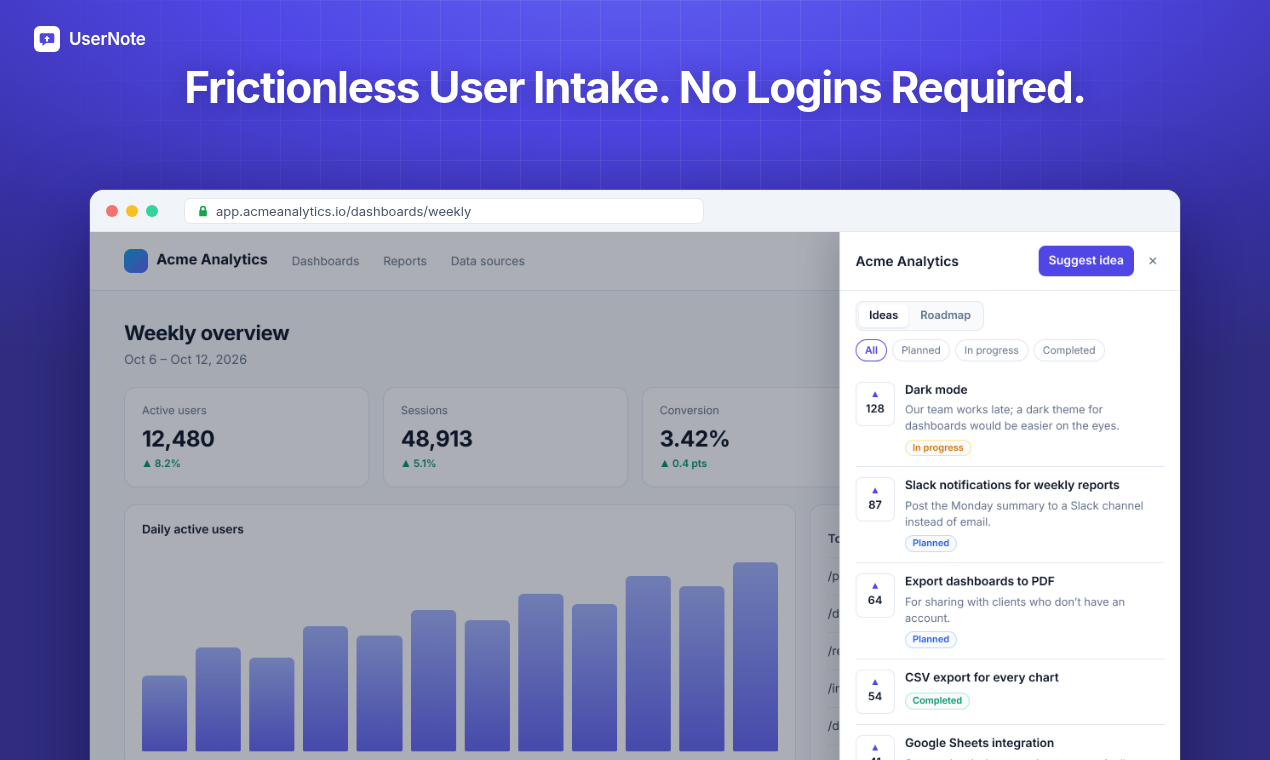
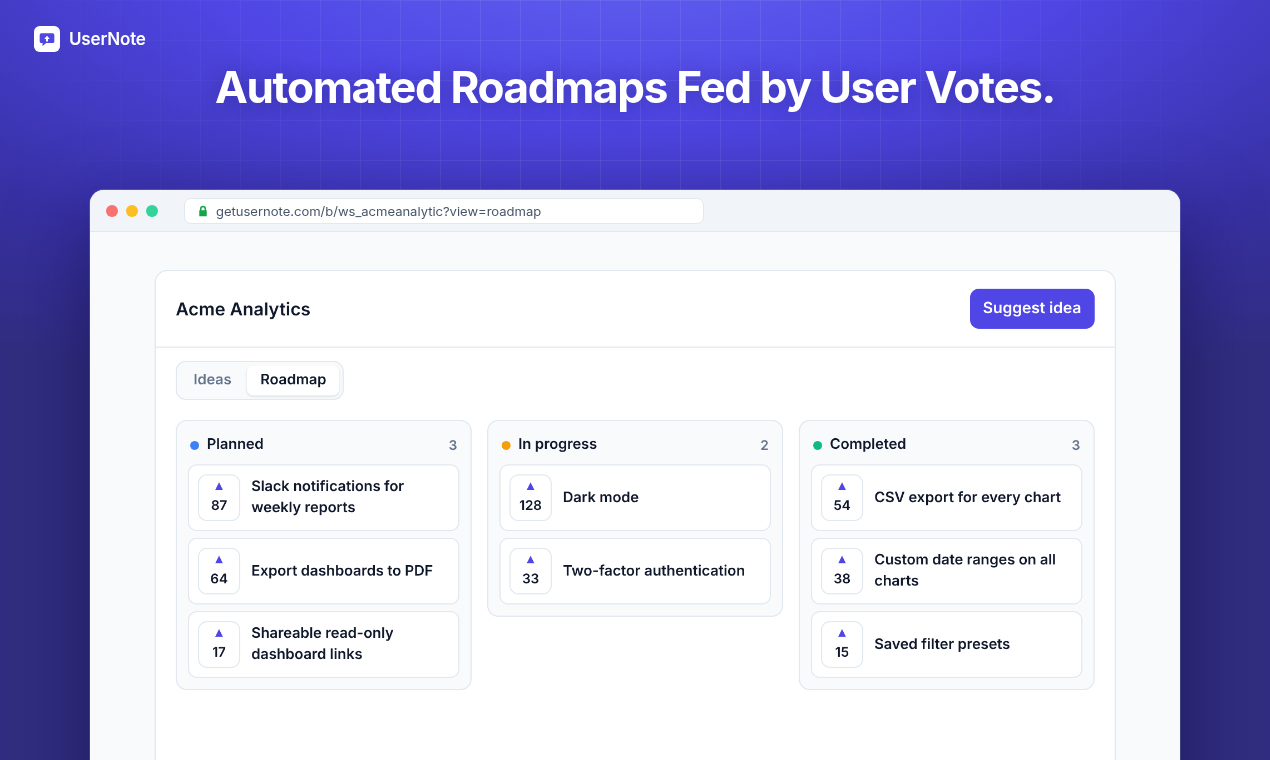
UserNote adds a feature voting board and public roadmap to your WordPress site. Visitors suggest ideas and upvote the ones they want, without creating an account or logging in. You decide what to build, mark ideas Planned, In progress or Completed, and the roadmap updates itself.
This plugin connects your site to the UserNote service at getusernote.com. You need a UserNote board (the free plan has no time limit) and its board ID.
What you get
- A Feedback button on every page, which opens your board in a panel.
- A
[usernote]shortcode to put the full board on any page, and[usernote view="roadmap"]for your public roadmap. - Voting without accounts: duplicate votes are blocked with a random browser token and a salted hash of the IP address. No cookies.
- A small widget (about 5 KB) in a Shadow DOM, so it doesn’t clash with your theme’s styles.
- New ideas emailed to you, with an optional approval step before they go public.
Plans
- Hobby (free, no time limit): one board, up to 50 ideas at a time, unlimited voters, public roadmap.
- Pro ($19/month, flat): unlimited boards and ideas, no UserNote branding, custom CSS and Slack notifications.
Ideas, approvals, statuses and colors are managed in your UserNote dashboard at getusernote.com.
External services
This plugin loads the UserNote widget, a JavaScript file served from https://getusernote.com/widget.js, on the pages where the Feedback button or a [usernote] shortcode is shown. The widget then talks to the UserNote API at getusernote.com to show your board.
What is sent, and when:
- When the board is shown: the board ID, to load its ideas and roadmap. The visitor’s browser requests the files from getusernote.com, so the service receives the visitor’s IP address and browser details, as with any web request.
- When a visitor suggests an idea: the title and any details they type.
- When a visitor votes: the idea’s ID and a random token stored in their browser. The service stores a salted, one-way hash of the IP address to prevent duplicate votes, never the IP address itself.
Nothing is sent until a board ID is saved and the widget is shown. The service is provided by UserNote (Patrick O’Brien, sole trader, United Kingdom). Data is stored in the UK.
- Terms of Service: https://getusernote.com/terms
- Privacy Policy: https://getusernote.com/privacy
Screenshots
Installation
- Install and activate the plugin.
- Create a free board at getusernote.com if you don’t have one.
- In the UserNote dashboard, open your board’s Install tab and copy the board ID (it starts with
ws_). - In WordPress, go to Settings UserNote, paste the board ID and save. The Feedback button appears on every page.
- Optional: add a Shortcode block with
[usernote]or[usernote view="roadmap"]to a page of its own.
FAQ
-
Do visitors need an account to vote?
-
No. Anyone can suggest an idea or vote. UserNote stops double voting with a random token stored in the browser and a salted, one-way hash of the IP address. It doesn’t set cookies or store IP addresses.
-
Yes. Untick “Show a Feedback button on every page” in Settings UserNote and use the
[usernote]shortcode on the pages you choose. -
Can I show a different board on one page?
-
Yes:
[usernote board="ws_xxxxxxxxxxxx"]shows that board instead of the one in Settings. -
The board doesn’t appear. What should I check?
-
Check the board ID in Settings UserNote. If you limited your board to certain domains in the UserNote dashboard, add this site’s domain there too. Caching or optimization plugins that combine or delay scripts can also stop it loading; exclude
getusernote.com/widget.jsfrom them. -
Does it slow my site down?
-
The widget is about 5 KB, loaded with
deferin the footer, so it doesn’t block your page from displaying.
Reviews
There are no reviews for this plugin.
Contributors & Developers
“UserNote Feedback Board – Feature Voting & Roadmap” is open source software. The following people have contributed to this plugin.
Contributors
Translate “UserNote Feedback Board – Feature Voting & Roadmap” into your language.
Interested in development?
Browse the code, check out the SVN repository, or subscribe to the development log by RSS.
Changelog
1.1.0
- Button position setting: put the Feedback button bottom left, clear of chat widgets and cookie banners.
1.0.0
- First release: Feedback button, [usernote] shortcode with roadmap view, settings page.